
Folio Refresh · Identical copies
Find every exact copy of a photo on your Mac
Free to try: scan, review and clean your first 100 photos. Then $14.99 once, no subscription. For macOS 15 or later, Apple silicon and Intel.
 Or get it from the Mac App Store: the same free 100 photos, the same price.
The problem
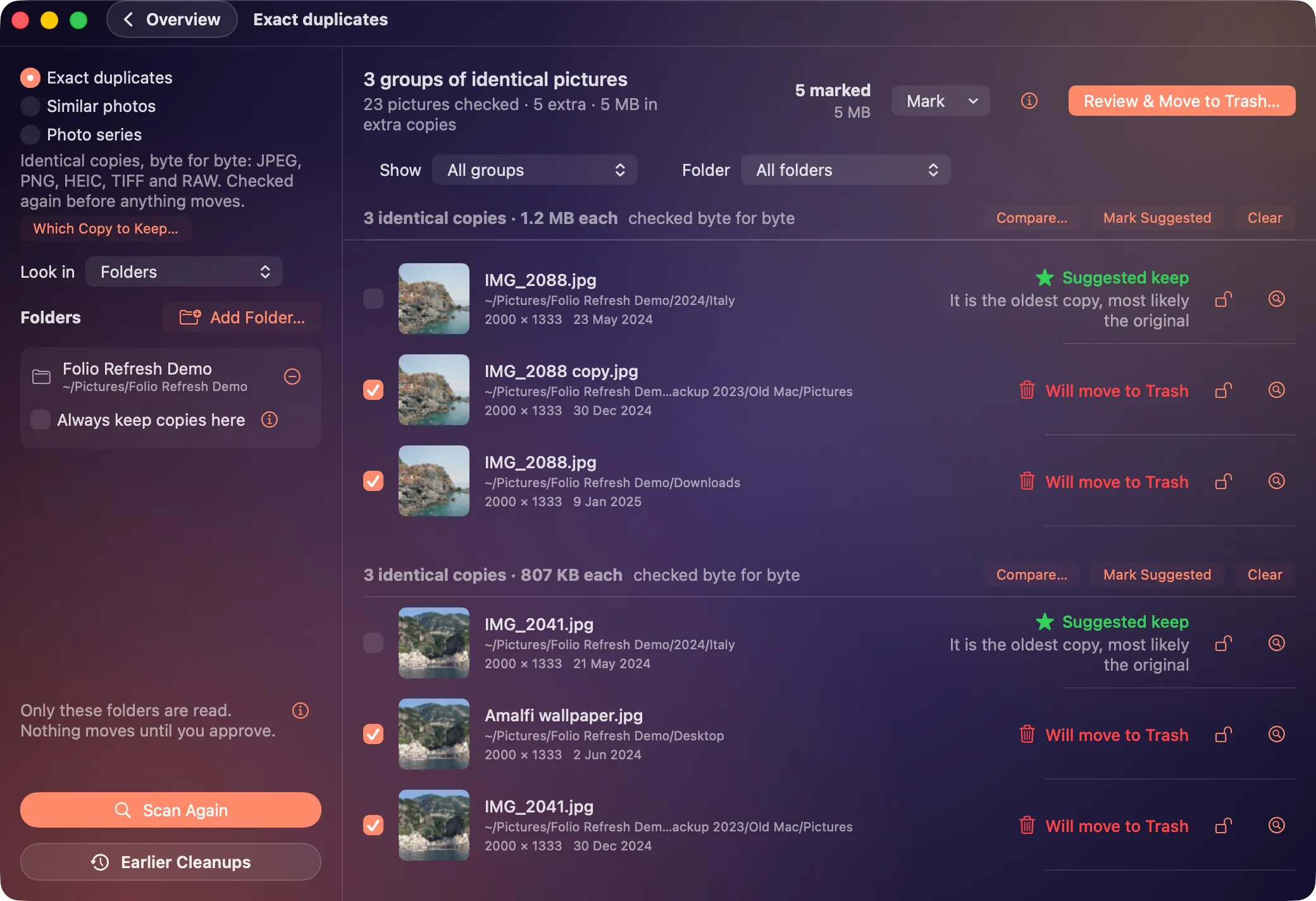
The same photo gets saved again and again: imported twice, downloaded from a message, exported for a print, copied across from an old Mac. Each copy has its own name in its own folder, so searching by name never finds them all, and every one takes space.
How Folio Refresh solves it
- Compares the pictures themselves. Copies are matched byte for byte, so a renamed copy in a backup folder is still found.
- Every common format. JPEG, PNG, HEIC, TIFF and camera RAW files from Canon, Nikon, Sony, Fujifilm, Panasonic and others.
- Shows where each copy lives. Every group lists each copy's folder, size and date, and suggests the one to keep with the reason, such as “It is the oldest copy, most likely the original”.
- Keeps pairs together. In a folder, a RAW file shot alongside a JPEG is kept with its pair.
- Checked again before anything moves. If a file has changed since the scan, it is left alone and listed.
Try it on your own photos.
Free to try: scan, review and clean your first 100 photos. Then $14.99 once, no subscription. For macOS 15 or later, Apple silicon and Intel.
Or get it from the Mac App Store: the same free 100 photos, the same price.