
Folio Refresh · Shrink videos and photos
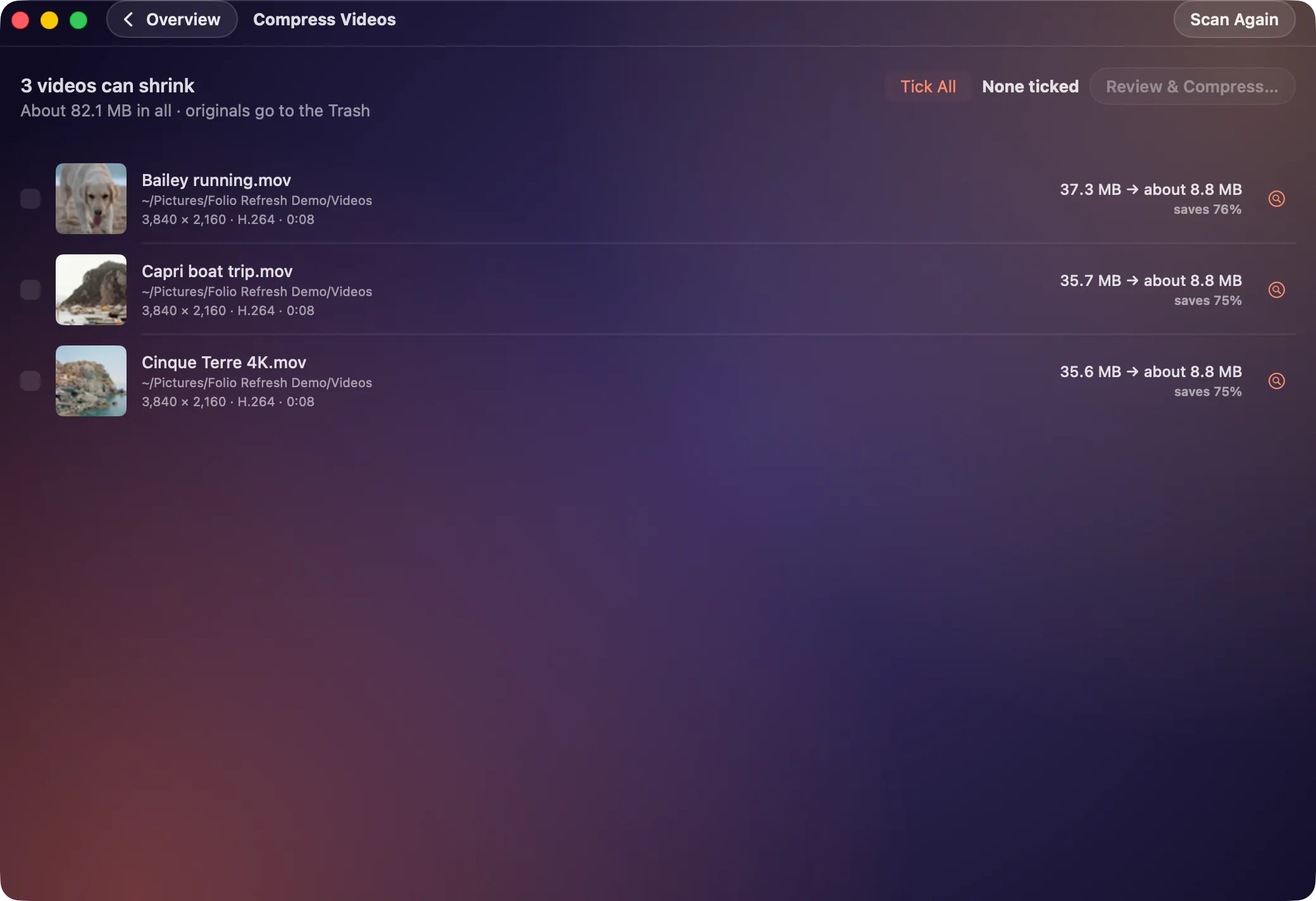
Make big videos and photos smaller without deleting them
Free to try: scan, review and clean your first 100 photos. Then $14.99 once, no subscription. For macOS 15 or later, Apple silicon and Intel.
 Or get it from the Mac App Store: the same free 100 photos, the same price.
The problem
Sometimes the space is not in duplicates at all. It is in 4K videos, camera-sized JPEGs and the short movie behind every Live Photo, none of which you want to delete.
How Folio Refresh solves it
- Compress videos. Re-encodes to HEVC at most 1080p, with the size it will save shown before you start.
- Compress images. JPEG and TIFF photos to HEIC, only where the file gets meaningfully smaller and the picture, its orientation and its date come through.
- Live Photos. Keep the picture and drop the short video beside it.
- Checked before the original goes. In folders, the original goes to the Trash once the new version is checked. In Photos, the new version is added and macOS asks you before the original is deleted; it then stays in Recently Deleted.
Try it on your own photos.
Free to try: scan, review and clean your first 100 photos. Then $14.99 once, no subscription. For macOS 15 or later, Apple silicon and Intel.
Or get it from the Mac App Store: the same free 100 photos, the same price.