
Folio Refresh · Safe clean-up
Clear duplicates without the fear of losing a photo
Free to try: scan, review and clean your first 100 photos. Then $14.99 once, no subscription. For macOS 15 or later, Apple silicon and Intel.
 Or get it from the Mac App Store: the same free 100 photos, the same price.
The problem
Duplicate cleaners can be frightening. One wrong click and a photo you cared about is gone, so many people never clean up at all, and the copies keep piling up.
How Folio Refresh solves it
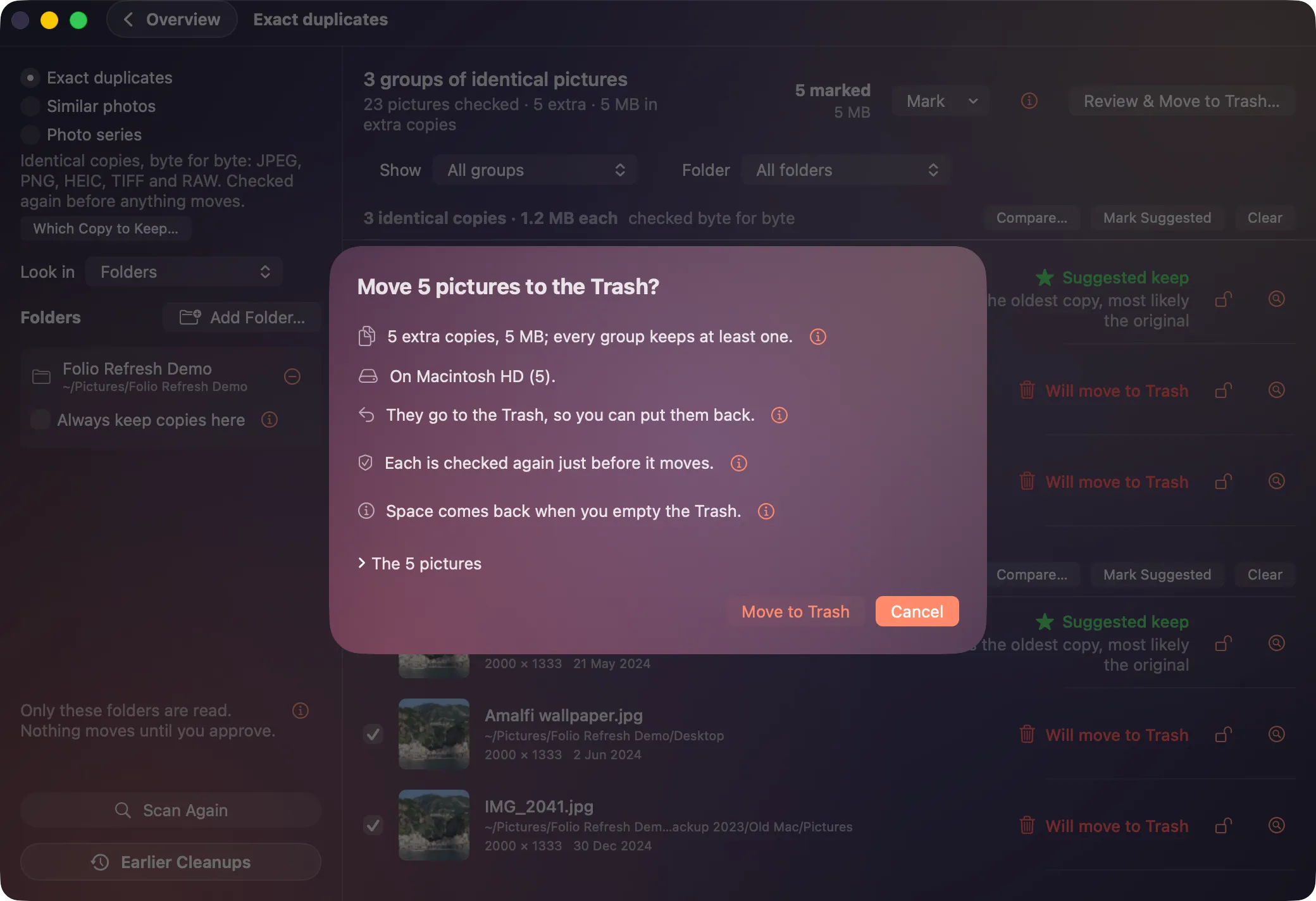
- Nothing moves until you say so. Nothing is even marked until you ask, and every clean-up ends in a summary where Cancel is the default.
- Always one copy kept. Every group keeps at least one copy where it is.
- Checked again before moving. Each photo is checked just before anything happens to it; anything changed since the scan is left alone and listed.
- Never deleted outright. Folders use the Trash, Photos uses its own confirmation, and catalogs are marked for you to delete in their app.
- Put it back. Every clean-up is recorded on your Mac, so you can put any photo back from Earlier Cleanups.
- Stays on your Mac. Your photos are read on your Mac and never uploaded. No account, no tracking, no adverts.
Try it on your own photos.
Free to try: scan, review and clean your first 100 photos. Then $14.99 once, no subscription. For macOS 15 or later, Apple silicon and Intel.
Or get it from the Mac App Store: the same free 100 photos, the same price.