
Folio Refresh · Similar photos
Find the resized, cropped and edited versions of the same photo
Free to try: scan, review and clean your first 100 photos. Then $14.99 once, no subscription. For macOS 15 or later, Apple silicon and Intel.
 Or get it from the Mac App Store: the same free 100 photos, the same price.
The problem
Most extra copies are not identical. A photo shrunk for email, cropped for a post, brightened, rotated or re-saved is the same picture to you, but a different file to your Mac, so a byte-for-byte duplicate finder walks straight past it.
How Folio Refresh solves it
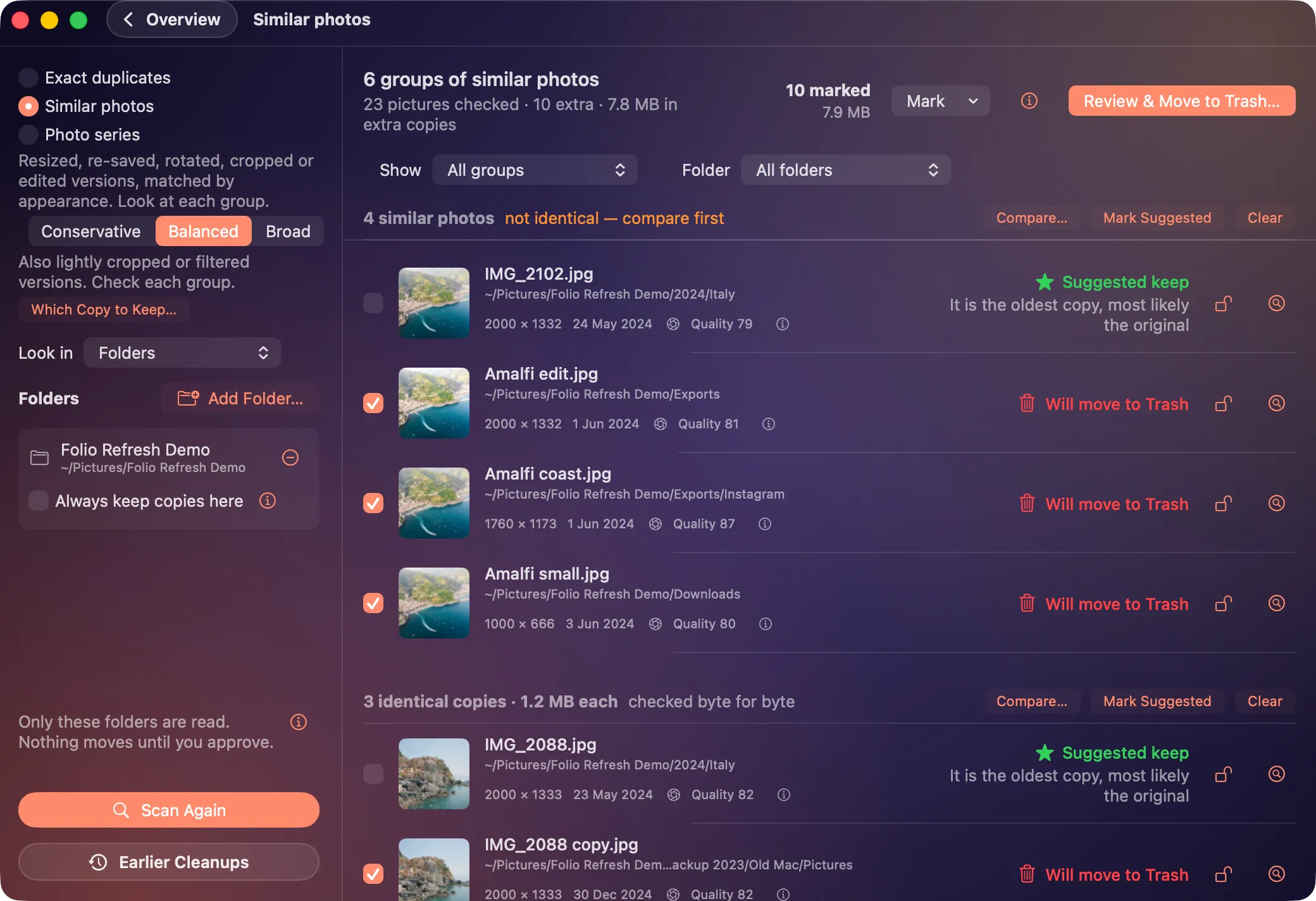
- Matches by appearance. Folio Refresh compares what the pictures look like, so resized, re-saved, cropped, rotated and lightly edited versions are grouped together.
- Three settings. Conservative, Balanced and Broad, from only near-exact versions to looser edits. Change it and the groups update without a new scan.
- Says what it is not sure of. Every group is labelled “alike in appearance, not identical”, so you check before moving any.
- Compare side by side. Open any group to see the photos next to each other, with their size, date and quality score.
- Keeps the best version. By default the suggestion is the clearly better photo, then the one with the most pixels.
Try it on your own photos.
Free to try: scan, review and clean your first 100 photos. Then $14.99 once, no subscription. For macOS 15 or later, Apple silicon and Intel.
Or get it from the Mac App Store: the same free 100 photos, the same price.